
Negative Keywords for Law Firms
The 2026 Ultimate Guide

Written by: Rahul Mulchandani
Founder, Digital Marketing Strategist and
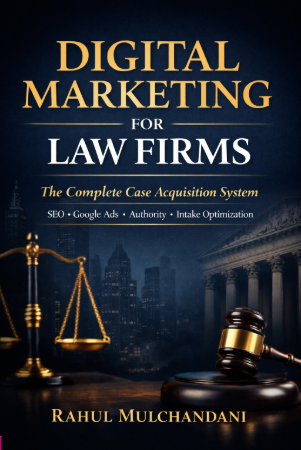
Author of "Digital Marketing For Lawyers" Book
Written by: Rahul Mulchandani
Founder, Digital Marketing Strategist and Author of "Digital Marketing For Lawyers" Book
Table of Contents
Negative keywords for law firms are the single most effective way to protect your Google Ads budget in one of the most expensive verticals online. With average CPCs for attorneys and legal services at $8.58 industry-wide—and often $70–$250+ for personal injury or truck accident terms—every irrelevant click burns real money that could have gone to qualified leads.
Analyze this Negative keywords for law firms content with AI tools:
ChatGPT Perplexity Grok Google AI ClaudeWithout a robust negative keyword strategy, law firm campaigns routinely waste 20–40% of spend on job seekers, students, bargain hunters, DIY researchers, wrong practice areas, and pop-culture queries. This guide gives you the exact frameworks, categorized lists, and ongoing processes that experienced legal PPC managers use to cut waste, improve Quality Score, and deliver higher-quality leads from the same budget.
What Are Negative Keywords in Google Ads for Law Firms?
Negative keywords tell Google not to show your ads when a search query contains those terms or closely matches them, depending on the match type you choose (broad, phrase, or exact). They act as a filter that prevents your ads from appearing for non-converting traffic while preserving visibility for high-intent legal searches.

In practice, you apply negatives at the campaign level (broad protection across all ad groups) or ad group level (more granular control). Google supports three match types for negatives: broad (default and most powerful for coverage), phrase, and exact.
For law firms, broad match negatives deliver the best balance of protection without over-blocking legitimate variations.
Unlike positive keywords, negatives do not consume budget or affect Quality Score directly, but they dramatically improve overall account efficiency by raising the percentage of clicks that come from ready-to-hire searchers.
Why Negative Keywords Matter More for Law Firms Than Most Industries
Legal keywords carry some of the highest CPCs in Google Ads. A single wasted click on a $150 personal injury term adds up fast when multiplied across thousands of impressions. Law firm searchers also split sharply between high-intent clients (“car accident lawyer near me after crash”) and zero-intent users (“how to become a lawyer” or “free divorce forms”).
Typical accounts without mature negative keyword lists see 20–40% of spend go to irrelevant queries. Adding a comprehensive list often drops cost-per-lead by 15–30% while lifting lead quality, because Google’s algorithms see cleaner conversion signals and can optimize bidding more effectively.
State bar ethics rules add another layer: ads must remain truthful and non-misleading. Showing for queries that your firm cannot ethically or practically serve risks compliance issues or poor client expectations. Negative keywords help keep traffic tightly aligned with your actual services.
Benefits of Using Negative Keywords for Law Firms
Negative keywords deliver outsized ROI in legal PPC by eliminating wasted spend on irrelevant traffic. Accounts without mature lists routinely lose 20–40% of budget to non-converting queries, directly inflating cost-per-lead.
Key benefits include:
- Cost efficiency — Redirects budget to high-intent searches, often reducing CPL by 15–35%.
- Improved Quality Score — Higher relevance and better post-click signals lower actual CPC (sometimes by 20–50%).
- Better lead quality — Filters out researchers, students, bargain hunters, and mismatched practice-area seekers, raising consultation and signed-case rates.
- Stronger smart bidding performance — Cleaner conversion data helps Target CPA, Maximize Conversions, and Target ROAS optimize faster.
- Ethics alignment — Prevents ads from appearing for services your firm does not offer, reducing mismatched expectations.
Get More Clients for Your Law Firm
Stop losing potential cases to competitors. Let’s build a strategy that brings you consistent, high-quality leads.
Match Types for Negative Keywords: Broad, Phrase, and Exact Explained
- Broad match negative (default): Blocks any search containing all the words in any order or with related variations. Example: broad “personal injury defense” blocks “defense attorney personal injury,” “personal injury defence lawyer,” etc. Use this for maximum protection on universal terms.
- Phrase match negative: Blocks searches containing the exact phrase in order, with words before or after allowed. Stronger precision when broad risks over-blocking.
- Exact match negative: Blocks only the precise phrase with no additional words. Least coverage; use sparingly for specific competitor names or high-risk terms.
Because Google has broadened positive match behavior, lean toward broad negatives for core categories and phrase/exact for sensitive exclusions. Test changes and monitor Search Terms Report for 7–14 days.
Core Categories of Negative Keywords Every Law Firm Needs
Build your master account-level negative keyword list around these universal categories. Apply them first, then layer practice-area specifics.
Job Seekers & Employment Terms
Block anyone looking for careers, not counsel: salary, jobs, hiring, intern, internship, paralegal, law clerk, associate position, legal assistant, law firm jobs, attorney salary, lawyer salary, how to become a lawyer, bar exam, LSAT, law school, JD program.
Education & Research Queries
Students and academics drain budget without converting: definition, what is, meaning, types of, case study, essay, homework, tutorial, syllabus, law review, moot court, legal studies.
Bargain Hunters & Free Services (with careful exceptions)
pro bono, legal aid, public defender, court appointed, free lawyer, free legal advice, free attorney, cheap lawyer, discount, sliding scale, low cost, no cost, payment plan.
Exception note: Many firms keep “free consultation” positive because it signals intent, but test carefully—some markets convert it well, others attract tire-kickers.
DIY & Self-Help Seekers
how to file, do it yourself, DIY, template, form, sample, represent yourself, without a lawyer, pro se.
Wrong Practice Area Cross-Contamination
If you do not handle a service, negate the entire category: criminal defense (for PI firms), divorce or custody (for criminal firms), immigration, bankruptcy, estate planning, workers compensation, etc. Include specific terms like DUI, drug charges, felony, child support, wills, probate.
Media, Entertainment & Pop Culture
tv show, movie, Netflix, celebrity name + lawyer (e.g., “johnny depp lawyer”), law and order, suiting, legal drama.
Geographic Bleed
Cities, states, or regions you do not serve. Add as phrase or exact negatives if your targeting is radius-based.
Competitor & Brand Names (use cautiously)
Specific competitor firm or attorney names when searchers clearly want that exact provider.
These categories alone can eliminate the majority of waste. Real accounts often see 300–500+ negatives after full build-out.
How to Identify Negative Keywords for Your Law Firm Campaigns
Identification starts with data, not guesswork.
- Analyze the Search Terms Report — In Google Ads, go to Keywords → Search terms. Filter the last 30–90 days, sort by cost or impressions, and flag queries with clicks but zero conversions or low CTR.
- Review low-quality leads — Examine intake notes or CRM data for calls/forms from irrelevant searchers (e.g., at-fault parties, out-of-area, or wrong practice areas).
- Leverage keyword research tools — Use Google Keyword Planner, SEMrush, or Ahrefs to surface related but irrelevant terms.
- Apply industry knowledge — Predict mismatches based on your practice areas (e.g., negate criminal terms for a family law firm).
- Monitor competitor and seasonal trends — Check Auction Insights and adjust for new celebrity or media-driven queries.
Perform this weekly for high-spend campaigns. Many firms pre-build 1,000+ negatives using industry lists before launch.
How to Build and Implement Negative Keywords for Law Firms Step by Step
- Audit your current Search Terms Report. In Google Ads, go to Campaigns → Keywords → Search terms. Filter for the last 30–90 days, sort by cost or impressions, and export. Highlight any query that received clicks but never converted.
- Create themed negative keyword lists. Use Google Ads Editor for bulk uploads. Make separate shared lists: “Job Seekers,” “Free Services,” “Wrong Practice Areas,” “Education,” etc. Shared lists allow easy updates across multiple campaigns.
- Choose match types strategically. Start with broad match negatives for maximum coverage (e.g., broad “salary” blocks “lawyer salary,” “paralegal salary,” “average attorney salary”). Use phrase for more precision when needed.
- Apply at the right level. Add universal negatives (jobs, free, pro bono) at the account or campaign level. Add practice-area cross-contamination at the campaign level.
- Upload and monitor. In Google Ads Editor or the web interface, select the campaign/ad group, go to Negative keywords, and add the lists. After upload, check for accidental over-blocking in the first 48 hours.
- Set a recurring process. Review Search Terms Report weekly for the first month, then bi-weekly. Add new negatives from high-cost, low-conversion queries. Aim to keep irrelevant spend under 5–10% of total.
Use tools like Google Ads Editor’s bulk operations or third-party scripts for scaling across large accounts.
How to Use Negative Keywords to Save Your Law Firm’s Budget
Use negatives as a “moat and bridge” system: campaign-level as the moat blocking broad waste, ad group-level as the bridge directing precise traffic to the right ad and landing page.
- Apply universals (jobs, free, education, wrong practice areas) at campaign level.
- Add intent-specific exclusions at ad group level (e.g., block “mediation” in a contested divorce ad group).
- For P-Max, layer the strongest negatives possible at campaign level.
- Monitor impact via Search Terms Report and adjust incrementally.
This prevents internal competition, improves relevance, and stretches budget toward converting searches. Regular use routinely cuts irrelevant spend significantly while maintaining or increasing impression share on valuable queries.
Practice Area–Specific Negative Keyword Strategies
Personal Injury / Car Accident Firms
Negate defense-side terms: personal injury defense, insurance company, defendant, at fault. Block unrelated injuries you do not handle (e.g., equine, dog bite if not your niche). Add heavy “free” and “pro bono” layers because PI often attracts volume bargain traffic.
Family Law / Divorce Firms
Block criminal terms: DUI, drug charges, assault, felony. Negate child custody if you focus only on divorce, or vice versa. Add pet-related or property-only queries if irrelevant (e.g., “dog custody lawyer”).
Criminal Defense Firms
Negate civil/personal injury terms heavily. Block “pro bono criminal defense” if you do not offer it, and academic queries like “criminal law essay” or “felony definition for school.”
A mid-sized PI firm in a competitive metro added 150+ practice-specific negatives and saw irrelevant clicks drop from 28% to 9% within 30 days, lowering effective CPL by approximately 22%.
Performance Max Campaigns: Special Risks and Protection Tactics
P-Max pulls from Search, Display, YouTube, and more, often surfacing informational queries (“how does divorce work”), celebrity gossip, wrong locations, or unrelated services. Apply comprehensive negative lists at the campaign level. Run structured Search campaigns alongside P-Max and use negatives to steer qualified traffic to intent-matched assets. Without strong protection, P-Max becomes a major leak despite its simplicity.
Ongoing Optimization: Using the Search Terms Report Effectively
The Search Terms Report is your most powerful ongoing tool. Filter for:
- High cost with zero conversions
- High impressions but low CTR (under 5–7% for legal)
- Queries with “free,” “how to,” “salary,” or competitor names
Add negatives directly from the report with one click. Look for long-tail patterns—e.g., if “personal injury lawyer salary” appears, add the broader “salary” if not already covered.
In 2026, with broader match and AI-driven suggestions, review more frequently. Set a Google Ads custom alert for spend on new search terms exceeding a threshold.
Track metrics before and after major negative additions: irrelevant spend percentage, overall CTR, Quality Score at ad group level, and CPL. Good targets: irrelevant traffic under 10%, Quality Score 7+ on core ad groups.
Common Mistakes Law Firms Make with Negative Keywords
- No list at launch. New campaigns bleed budget for weeks before anyone notices.
- Over-blocking. Adding “free consultation” as negative when it actually converts in your market. Always test exceptions.
- Static lists. Failing to review Search Terms Report regularly lets new irrelevant queries slip through as language and trends evolve.
- Wrong match type. Using only exact match negatives misses variations and wastes protection.
- Ignoring cross-contamination between practice areas in multi-service firms. One campaign’s positives become another’s negatives.
- Neglecting geographic or competitor bleed. Especially damaging in multi-location or highly branded markets.
A common scenario: a family law firm appeared for “equine lawyer” and “dog bite attorney” queries because they never added animal-related or PI cross terms, wasting several thousand dollars monthly until corrected.
Next Steps: Audit and Apply Your Negative Keyword Lists Today
Open your Google Ads account and pull the Search Terms Report for the past 30 days. Export it, sort by cost descending, and flag every non-converting query. Build or update your master negative lists using the categories above, then upload via Google Ads Editor for speed. Start with account-level universals (jobs, salary, pro bono, free legal aid), then add practice-area specifics. Re-check performance after 7 days and refine. Firms that treat negative keywords as a living system rather than a one-time task consistently achieve lower CPL and higher ROAS than those that set it once and forget it.
Frequently Asked Questions
What are negative keywords for law firms in Google Ads?
Negative keywords for law firms are terms or phrases you add to Google Ads campaigns to prevent your ads from showing on irrelevant searches that will never convert into clients. In legal PPC, where CPCs frequently exceed $50–$250 for competitive terms, these negatives stop your budget from being spent on job seekers (“lawyer salary”), students (“how to become a lawyer”), bargain hunters (“free lawyer”), DIY self-help searchers (“divorce forms template”), wrong practice areas (“criminal defense” for a PI firm), and media queries (“law and order lawyer”). Apply them as broad, phrase, or exact match. Broad match negatives provide the widest protection. Most mature law firm accounts maintain 300–500+ negatives, organized into shared lists for easy management. Without them, audits routinely show 20–40% of spend wasted on non-intent traffic, inflating CPL and hurting Quality Score. Start by reviewing your Search Terms Report and adding universal categories immediately.
Why do negative keywords matter more for law firms than other industries?
Legal services have exceptionally high CPCs and a sharp split between high-intent hiring searches and zero-intent informational or career queries. Average attorney CPC sits around $8.58, but personal injury or truck accident terms often reach $100–$300+. One irrelevant click costs far more than in lower-CPC verticals. Law firms also face state bar ethics rules requiring truthful advertising—appearing for services you do not provide risks misleading impressions or poor client fit. Negative keywords improve ad relevance, raise Quality Score (which lowers actual CPC), and give Google cleaner conversion data for smart bidding strategies like Target CPA or Maximize Conversions. In practice, adding comprehensive negatives often reduces irrelevant spend by 20–40% and improves lead quality, because the remaining traffic better matches what your landing pages and intake teams can handle. Firms without strong negatives see slower learning for AI bidding and consistently higher CPL.
What are the main categories of negative keywords for law firms?
Every law firm needs these core categories in their master negative keyword list:
- Job & Career Seekers: salary, jobs, hiring, intern, paralegal, law clerk, attorney salary, how to become a lawyer, bar exam, LSAT.
- Education & Students: definition, what is, case study, essay, law school, legal studies, moot court.
- Free & Pro Bono Seekers: pro bono, legal aid, public defender, free lawyer, free legal advice, cheap attorney (test “free consultation” carefully).
- DIY & Self-Help: how to file, DIY, template, form, represent yourself, pro se, without lawyer.
- Wrong Practice Area: criminal defense (for PI firms), divorce/custody (for criminal firms), immigration, bankruptcy, estate planning—include specific terms like DUI, felony, child support, wills.
- Media & Entertainment: tv show, movie, Netflix, celebrity lawyer names.
- Geographic Bleed: cities or regions outside your service area. Apply universals at the campaign or account level and refine with Search Terms Report data. These categories alone eliminate the majority of waste in legal accounts.
How do I add negative keywords in Google Ads for my law firm campaigns?
Use Google Ads Editor for efficiency with large lists. Step-by-step: 1) Download and open your account in Editor. 2) Create shared negative keyword lists named by category (e.g., “Job Seekers,” “Free Services”). 3) Paste or import terms—use broad match for most coverage. 4) Assign lists to campaigns or ad groups. In the web interface: go to Keywords → Negative keywords → plus icon, select campaign or ad group level, and add individually or via lists. Apply universal negatives (jobs, salary, pro bono) at campaign level for broad protection. After upload, monitor Search Terms Report for 48–72 hours to catch any accidental over-blocking. Set a recurring calendar reminder to review new search terms weekly. For multi-practice firms, use campaign-level negatives to prevent cross-contamination between practice areas.
Should I use broad, phrase, or exact match for negative keywords in legal campaigns?
Broad match negatives offer the strongest protection for law firms because they block variations and related concepts efficiently without manual exhaustive lists. Example: broad “salary” blocks “lawyer salary,” “paralegal salary,” and “average attorney salary.” Use phrase match when you need more precision to avoid over-blocking (e.g., phrase “free consultation” if you want to test keeping some variations). Exact match is rarely needed except for very specific competitor or brand names. In 2026 Google Ads environments with broader positive match types and AI suggestions, broad negatives are essential to counteract expanded reach. Start with broad for all universal categories, then tighten only if you see legitimate traffic being blocked. Always monitor impression share and actual search terms after changes.
How often should law firms review and update their negative keyword lists?
Review your Search Terms Report at least weekly for the first 30–60 days after major changes, then bi-weekly or monthly once stable. High-spend campaigns in competitive markets (PI, criminal) need more frequent checks because new irrelevant long-tail queries appear constantly. Set Google Ads custom alerts for spend on new search terms or rising irrelevant clicks. Best practice: export the report, sort by cost or impressions, and add any non-converting or low-quality query that costs more than a few dollars. Also re-evaluate during seasonal shifts (e.g., more DUI searches around holidays) or after launching new practice areas. Firms that treat negatives as static lists waste budget; those that iterate monthly routinely keep irrelevant spend below 10% and maintain higher Quality Scores.
What negative keywords should personal injury law firms use?
PI firms must aggressively negate defense-side and unrelated injury terms: personal injury defense, insurance adjuster, at fault, defendant lawyer. Block other practice areas heavily: divorce, criminal defense, DUI, bankruptcy, estate planning. Add strong free/pro bono layers because volume traffic attracts bargain seekers. Include niche injuries you do not handle (e.g., equine, maritime, or specific dog bite if not your focus). Job and education terms remain critical. A common gap: failing to negate “workers compensation” or “slip and fall insurance claim” queries that lead to low-value or non-retained leads. In one audited account, adding 80+ PI-specific negatives reduced irrelevant clicks by 25% and dropped CPL noticeably within 45 days while preserving volume on core car accident and truck accident terms.
What negative keywords work best for family law or divorce campaigns?
Family law campaigns should block criminal and PI cross-traffic: criminal defense, DUI, drug charges, assault, personal injury, car accident lawyer. If your focus is narrow (e.g., divorce only), negate child custody, child support, or adoption terms—or vice versa. Add pet-related queries (“dog custody,” “pet divorce”) if irrelevant. Strong education and job seeker negatives are essential because family law attracts researchers. Media terms like celebrity divorce cases can also bleed. Test “free consultation” carefully—many family law firms keep related terms positive as they signal urgency, but pure “free divorce lawyer” should be negated. Cross-contamination is a frequent issue in full-service firms; separate campaigns with targeted negatives prevent one practice area from stealing budget from another.
Can negative keywords improve Quality Score and lower CPC for law firms?
Yes—negative keywords indirectly boost Quality Score by increasing overall ad relevance and conversion rates in the remaining traffic. Google rewards accounts where a higher percentage of clicks lead to expected user behavior (form fills, calls). Cleaner traffic means better click-through rates and post-click engagement signals, which feed into ad rank calculations. In legal accounts, moving from poor negatives to mature lists often lifts ad group Quality Scores from 4–5 to 7–9, lowering actual CPC by 20–50% even at the same bid. Combine with tightly themed ad groups and relevant landing pages for maximum effect. Track changes in the Quality Score columns and Auction Insights report after implementing or expanding negatives.
How do I avoid over-blocking legitimate traffic with negative keywords?
Test changes incrementally and monitor Search Terms Report closely for 7–14 days after additions. Never add broad negatives for terms that might have dual intent without checking volume first (e.g., “free consultation” in markets where it converts well). Use phrase or exact match for borderline terms. Run a temporary broad match discovery campaign with very tight negatives and low budget to surface new patterns safely. If you suspect over-blocking, pause the negative, review recent conversions, and re-add more narrowly. In multi-location firms, be cautious with geographic negatives—use radius targeting first and only negate distant cities as phrase or exact. Regular audits prevent the common mistake of blocking high-intent long-tail variations.
What tools help manage negative keywords for larger law firm Google Ads accounts?
Google Ads Editor remains the fastest for bulk uploads and shared list management across dozens of campaigns. Use the built-in Search Terms Report with filters for cost, conversions, and match type. Third-party tools like SEMrush, Ahrefs, or WordStream can export competitor insights or suggest additional negatives, but always validate in your own data. Scripts or automated rules in Google Ads can flag high-cost new search terms for review. For very large accounts, consider agency-grade platforms with negative keyword expansion features. Regardless of tool, the foundation is weekly manual review of your own Search Terms Report—automation supports but does not replace practitioner judgment in legal PPC.
How quickly will adding negative keywords impact my law firm’s PPC performance?
You typically see initial improvements within 3–7 days as Google stops serving blocked queries. Material lifts in CTR, Quality Score, and CPL appear within 14–30 days once enough data accumulates for bidding algorithms to adjust. Full benefits (20–40% reduction in irrelevant spend) often materialize over 30–60 days as you iterate from the Search Terms Report. In high-volume PI campaigns, the difference can appear faster because wasted clicks are expensive and numerous. Track key metrics: percentage of spend on irrelevant terms, overall account CTR, ad group Quality Score, and lead-to-consultation rate. Firms that combine strong negatives with proper conversion tracking and landing page alignment see the fastest and most sustained ROI gains.
🚀 Get Free Consultation
Our Latest Posts
-
 How We Generate Signed Cases for Lawyers: 7 Proven Strategies That Deliver Real Results
 -
 Case Study: Multi-City Personal Injury SEO Success – New Mexico
 -
 Case Study: Personal Injury Lawyer in Texas
 -
 Lawyer SEO: The Complete Guide to Optimizing Law Firm Websites for Clients and Rankings
 -
 Why Lawyer Switch to Us
Updated on
Get In Touch with Us!
other way to contact us
Office Email
rahul@webkeydigital.com
Office Phone
+1 503-303-8639
Office Location
8 The Green STE A, Dover, Kent , Delaware 19901
